|
Previous 27-3 Next
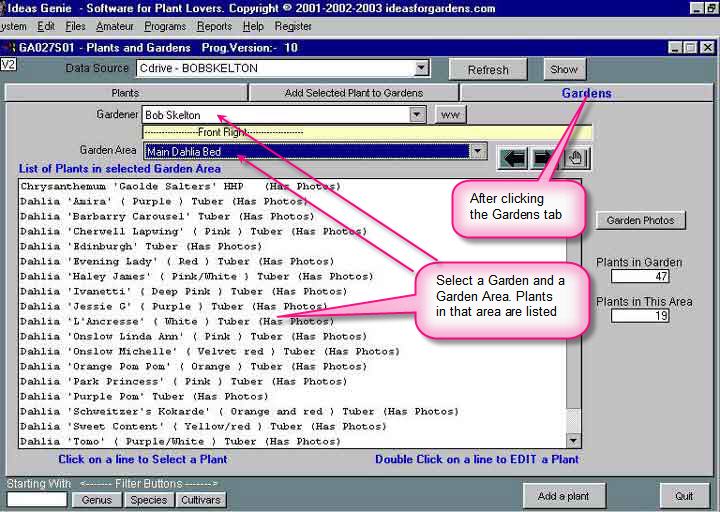
The initial screen, after clicking on the Gardens tab.
Note the button ww=Work With. This allows you to add new Gardener Names and Garden
Areas.
There is no limit to the number of Gardeners or Garden Divisions and Garden Areas.
These are accessed by clicking on the appropriate pop-ups.
The Left and Right arrow
buttons are an alternative navigation method to sequentially select and display
Garden Areas and plants in those Garden Areas.
The Data Source button at the top allows you to
select another database for review.
Databases on CD are referred to as SWAP databases. This feature allows users to exchange their garden
details with other Ideas Genie
users
Another important application for this feature is to allow the user to avail of a range of SWAP Library
Databases available from ideasforgardens.com.
|