|
Previous 14-4 Next
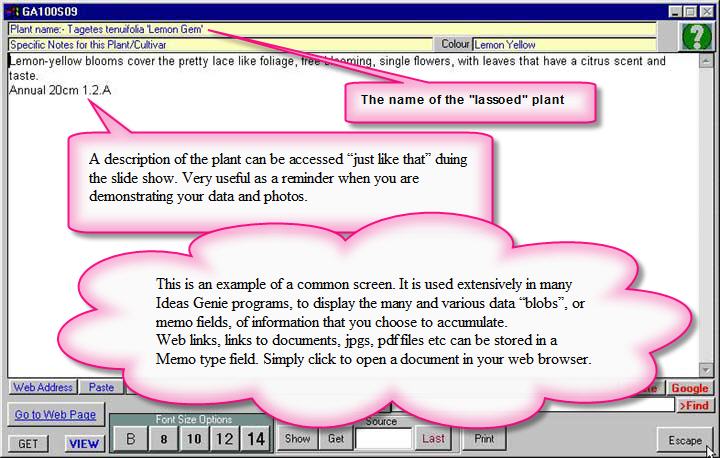
The Plant Profile screen, after clicking on the Profile button.
This screen also has special features to allow you to refer to Book Names
and other Resources. Note the green Question Mark. That is the on-line help icon. Drag that icon over the buttons etc for help. Dragging the Help Icon over the “Show”,
“Get” buttons etc will explain the Book reference functionality to the user.
Pressing Escape
on this screen allows you to return to the Paused screen.
|